Rune Tablet System
This page contains information about the System\Rune\ folder and all it's files, which I collected myself.
Note: There might be mistakes and misunderstandings in there, if you have more information about it, let me know.
The following list has the official name declared first, then the project's version.
Texture Folder
All textures are located in the data\texture\À¯ÀúÀÎÅÍÆäÀ̽º\runesystem\ folder.
Each file is declared/called via the files explained below.
Subfolders are:
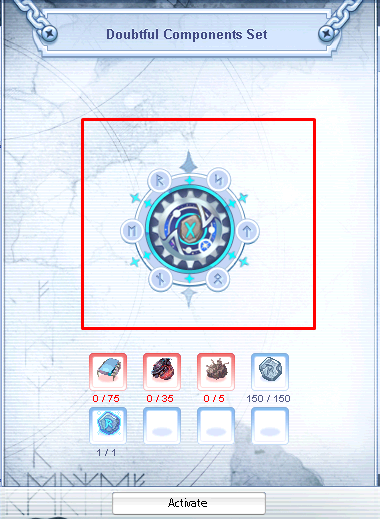
runeset: Holds the center images for the Rune Tablets
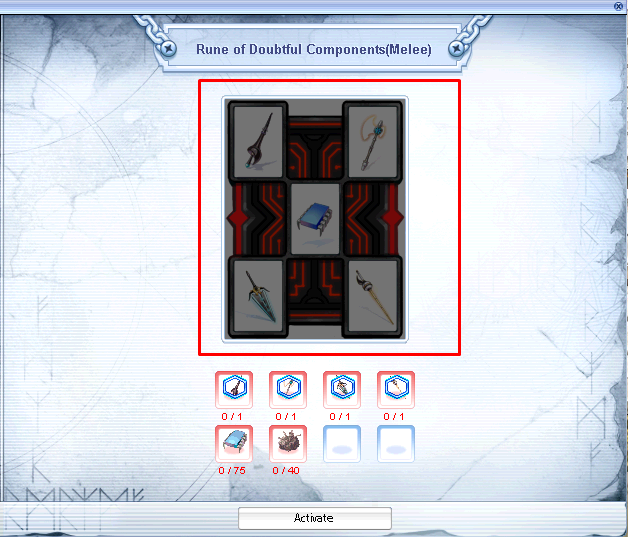
rune: Holds the center images for the Runes
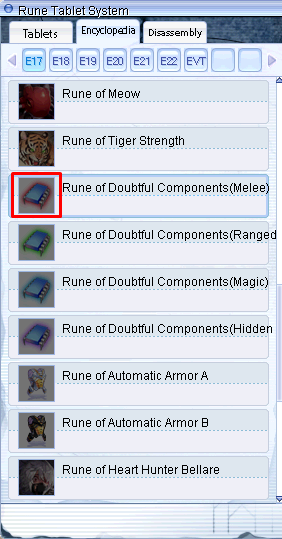
rune_icon: Holds the small images for the Runes
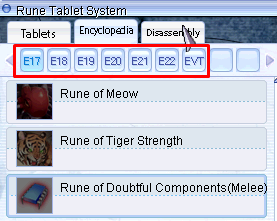
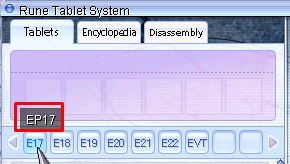
tag: Holds the images for the Tags
System/Rune | SystemEN/Rune
This is the main folder all related files are located.
The project uses, like other System folder related files, the SystemEN folder.
Also slightly different names compared to the official ones.
Note: For the sake of showing examples, I will use one official entry:
Rune: Rp_Ep17_Melee - Doubtful Components(Melee)
Rune Tablet: Rt_Ep17_Doubt - Doubtful Components
runesystemid.lub | systemid.lub
This file is one of most important ones as it holds all entries required for the whole system to work.
It defines the Runes as well as the Rune Tablets (Set Effects) with a unique ID, which needs to match the server side, similiar to an Item ID.
There are three tables present:
RUNESETIDTBL: Holds the unique IDs for each Rune Tablet (Set), they start with 1260000 Key values (likeRt_Ep17_Doubt), have a prefix ofRtwhich is not required, makes it easier to identify later on, based on my assumption it is short forRune Tablet.RUNEIDTBL: Holds the unique IDs for each single Rune, they start with 1263000 Key values (likeRp_Ep17_Melee) have a prefix ofRpwhich is not required, makes it easier to identify later on, based on my assumption it is short forRune Page.RUNETAGIDTBL: Tags can be seen as categories
It also defines the texture file name:tag\bt_tag_<Tag>_0.bmptag\bt_tag_<Tag>_1.bmptag\bt_tag_<Tag>_equip.bmp
Example
runeSystem_table.lub | System_table.lub
Contains Activation and Upgrade requirements which are defined via an index value,
they linked to info.lub (Rune_ActiveList) and set_info.lub (RuneSetActiveList/RuneSet_UpGradeList).
This file format is simple, based on the available "visual" slots, you can have up to 8 items.
Examples
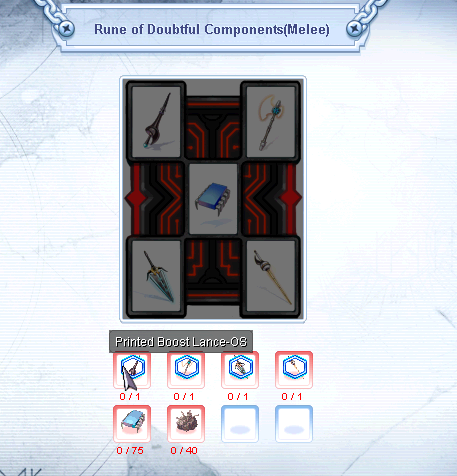
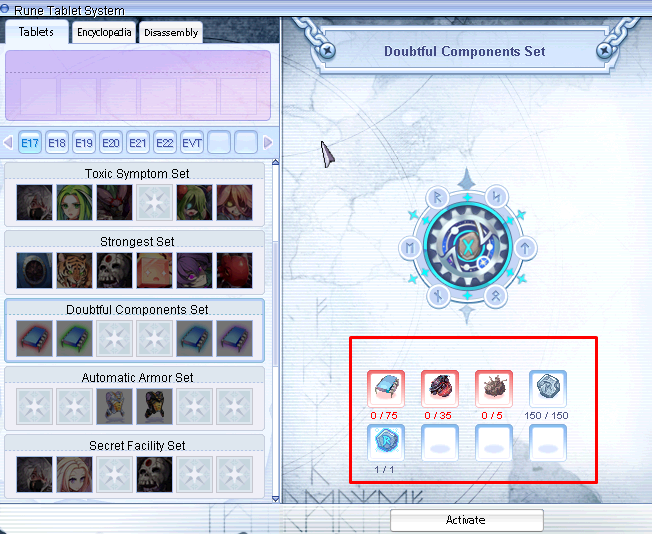
rune_info.lub | info.lub
This file holds the item list requirements to activate Runes.
Rune_Res: Defines the Texture file nameRune_ActiveList: Refers to the requirement table (RuneTable_itemList) inSystem_table.lubto activate it
Example
Runetbl_info = {
	[RUNETAGIDTBL.EPISODE17] = {
		[RUNEIDTBL.Rp_Ep17_Melee] = {Rune_Res = "Rp_Ep17_Melee", Rune_ActiveList = 14},
rune_desc.lub | desc.lub
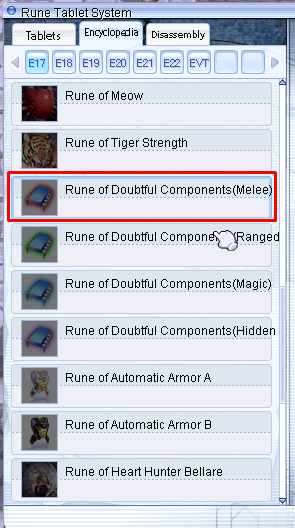
Simple file to define the display name of Runes themself.
Example
	[RUNETAGIDTBL.EPISODE17] = {
		[RUNEIDTBL.Rp_Ep17_Melee] = {Rune_DisplayName = "Doubtful Components(Melee)"},
runeset_info.lub | set_info.lub
GradeTable: Table for upgrade success-
GradeTable_Fail: Table for increase of success chance if upgrade failsAll values are called via
RuneSet_UpGrade_Percentage_tableandRuneSet_UpGrade_Percentage_table_Failrespectively,
value being the index of the table.
Format:[<Index>] = {<Chance_1>,...,<Chance_15>}` : Value * 1000 (8% > 8 * 1000 = 8000) 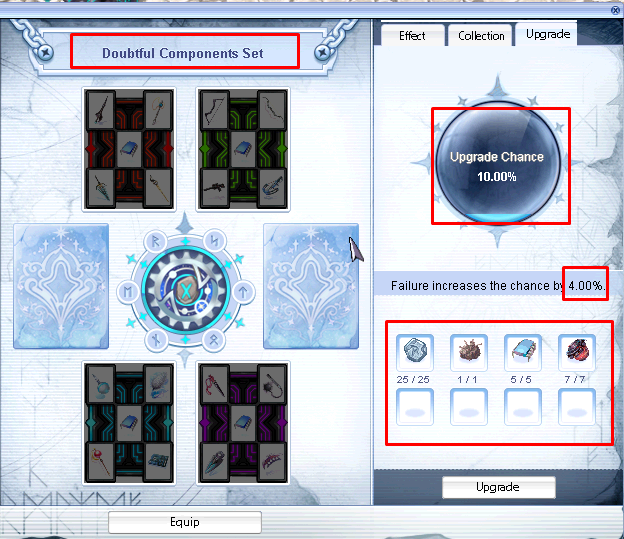
GradeTable = {
	[1] = {10000, 10000, 10000, 9000, 9000, 8000, 7000, 6000, 5000, 4000, 3000, 2000, 1000, 500, 100},

GradeTable_Fail = {
	[1] = {4000, 4000, 4000, 3600, 3600, 3200, 2800, 2400, 2000, 1600, 1200, 800, 400, 200, 40},
RuneSetRes: Texture file nameRuneSetActiveList: Value refers to item requirements to activate it, located inSystem_table.lubRuneSet_SlotList: Values refers toRUNEIDTBLtable and can have less values than 6, but that screws the slotsRuneSet_UpGradeList: Value refers to item requirements to upgrade (refine) it, located inSystem_table.lubRuneSet_UpGrade_Percentage_tableandRuneSet_UpGrade_Percentage_table_Fail: Both values refer to table index ofGradeTableandGradeTable_Failrespectively, representing the success chance and the increase of the success chance in case the upgrade fails.
Example
	[RUNETAGIDTBL.EPISODE17] = {
		[RUNESETIDTBL.Rt_Ep17_Doubt] = {
			RuneSetRes = "Rt_Ep17_Doubt",
			RuneSetActiveList = 1,
			RuneSet_SlotList = {RUNEIDTBL.Rp_Ep17_Melee, RUNEIDTBL.Rp_Ep17_Range, 0, 0, RUNEIDTBL.Rp_Ep17_Magic, RUNEIDTBL.Rp_Ep17_Razor},
			RuneSet_UpGradeList = {45, 46, 47, 48, 49, 50, 51, 52, 53, 54, 55, 56, 57, 58, 59},
			RuneSet_UpGrade_Percentage_table = 1,
			RuneSet_UpGrade_Percentage_table_Fail = 1
		},
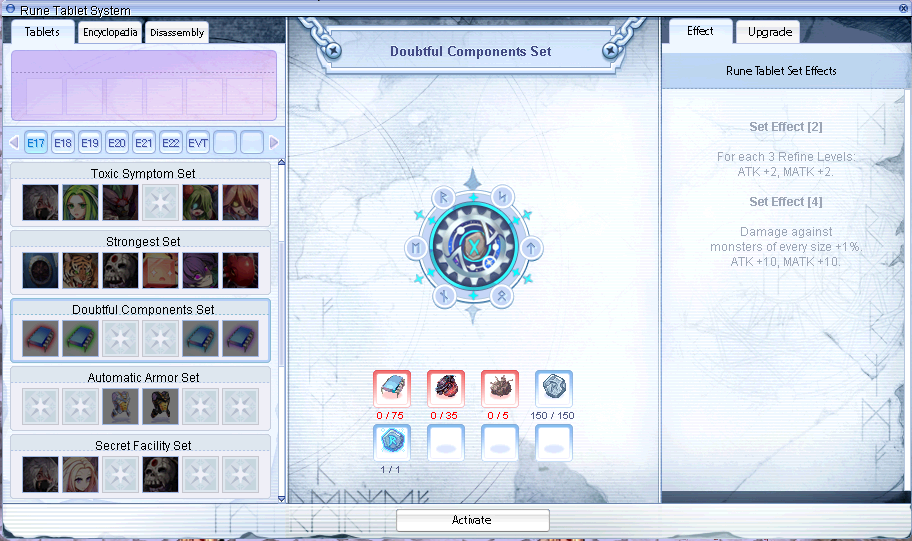
Locked Rune Tablet
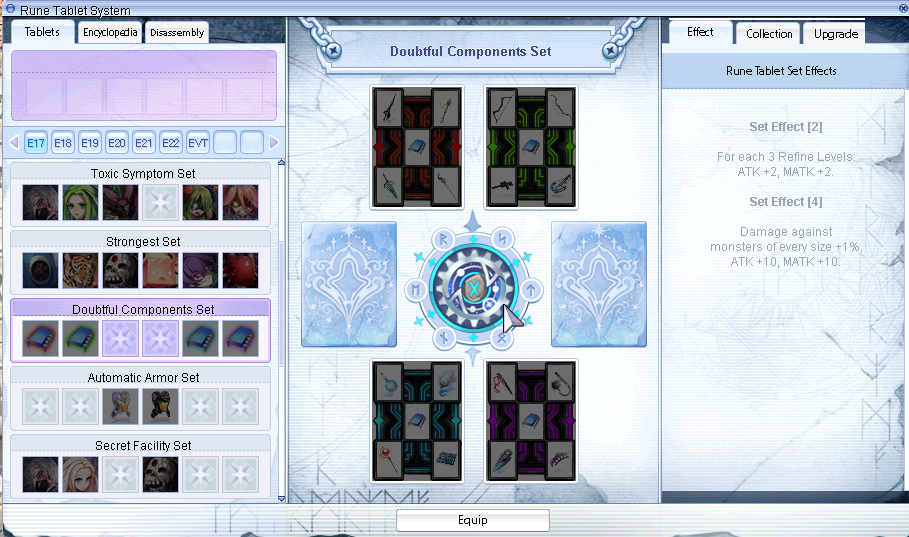
Unlocked Rune Tablet
runeset_desc.lub | set_desc.lub
-
Runesystemtbl_tagtable : Declares a tooltip when you move your mouse over the Tags. -
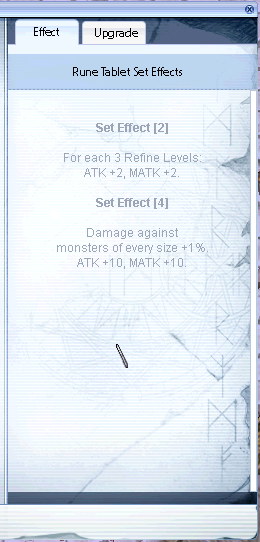
RuneSettbl_desc: Contains the description of set effects and the name of the Set RuneSetDisplayName: Display Name for SetRuneSetDescription: Will be split into set effects based on index value
[2]= 2 set effects, each"",will be printed in a new line
Examples
	[RUNETAGIDTBL.EPISODE17] = {
		[RUNESETIDTBL.Rt_Ep17_Doubt] = {
			RuneSetDisplayName = "Doubtful Components",
			RuneSetDescription = {
				[2] = {"For each 3 Refine Levels:", "ATK +2, MATK +2."},
				[4] = {"Damage against", "monsters of every size +1%.", "ATK +10, MATK +10."}
			}
		},
runeset_reward.lub | set_reward.lub
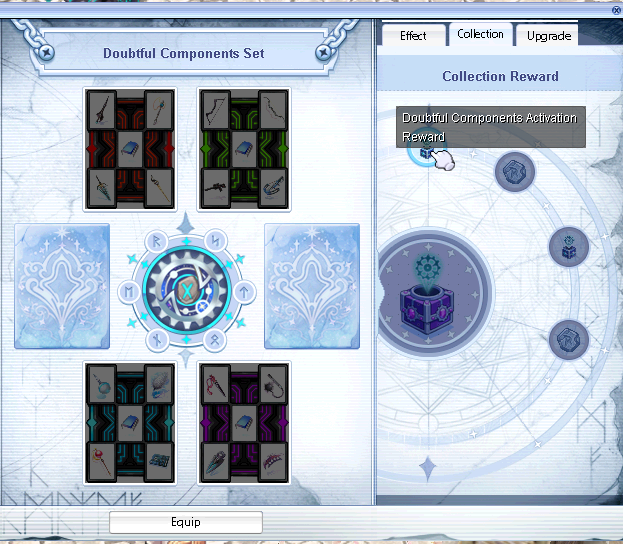
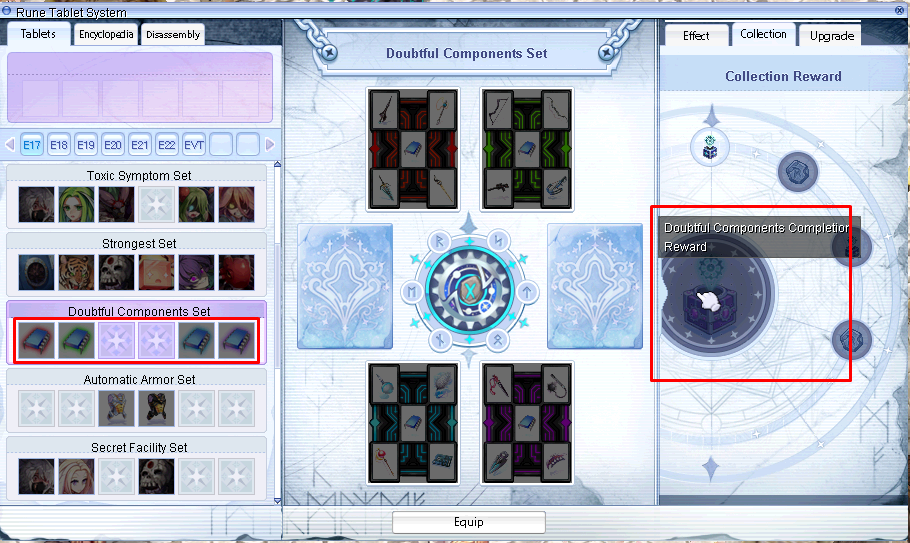
The Rune Reward UI was implemented with 2024-10-16, adds new texture files as well as this file.
Up to 7 rewards can be received based on existing entries, I didn't test what happens if you have less values.
File format is simple and uses Item IDs.
{ <Reward_1>, <Reward_2>, <Reward_3>, <Reward_4>, <Reward_5>, <Reward_6>, <Completion_Reward> }
Example
	[RUNETAGIDTBL.EPISODE17] = {
		[RUNESETIDTBL.Rt_Ep17_Doubt] = {103335, 1001282, 103339, 1001282, 0, 0, 103340},
itemDecom.lub | itemDecom.lub
This file controls the Disassembly part has 3 tables.
For this I will take a Step Card (ID: 4698) as example.
-
itemDecomItemNum_tbl: Disassemble Amount to select from; 2 values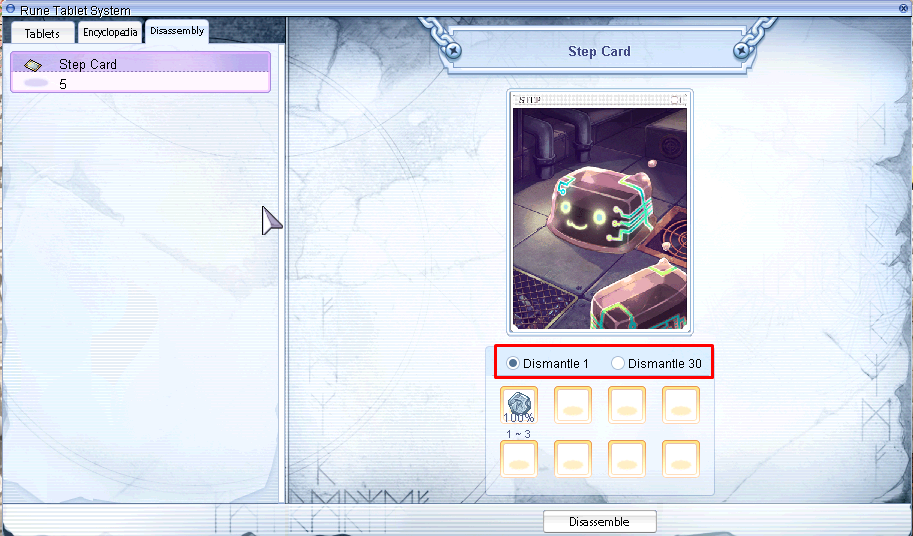
-
itemDecomType_tbl: Defines the list of disassembled materials per<Type>-
[<Type>] = {:
Disassembled materials per entry (more entries means more possible materials)
Format:{ <Item ID>, <Min Amount>, <Max Amount>, <Chance> } -
<Item ID>: ID of the material <Min Amount>/<Max Amount>: Random value between these two values<Chance>: 100% = 100000, 25% = 25000 (so % * 1000; 10% = 10000)
-
-
itemDecom_tbl: Simple list of items which can be disassembled
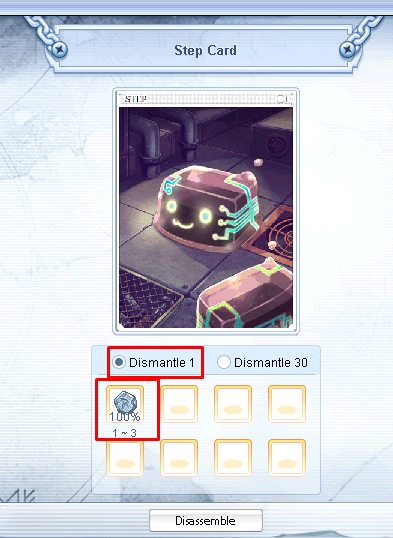
Format:[<Item ID>] = {<Type1>,<Type2>}<Item ID>: ID which can be disassembled<Type1>: would be selected if you dismantle "1"<Type2>: would be selected if you dismantle "30"
Examples
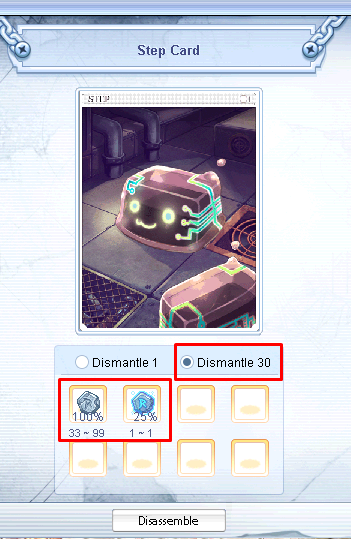
itemDecomItemNum_tbl = { 1, 30 }

itemDecomType_tbl = {
	[1] = {
		{1001282, 1, 3, 100000}
	},
	[2] = {
		{1001282, 33, 99, 100000}, <--- This, since <Type1> was selected
		{1001283, 1, 1, 25000}
	},
}

itemDecom_tbl = {
	[4698] = {1, 2},
}
runesysteminfo.lub | systeminfo.lub
Even I'm not sure why this file exists.
It just calls the function GetDefultTag to define a default tag...
Same as the dofile line, the client reads it anyway.